C Is for Cherry AI Video Maker
Now let's spell it slow. One photo and you're the one in the bathroom mirror light, spelling C-H-E-R-R-Y on your fingers with the song: quick the first time, then letter by letter. Sixteen seconds, vertical, no filming and no practice.
- 16 s
- vertical 9:16
- one photo
- 10 credits

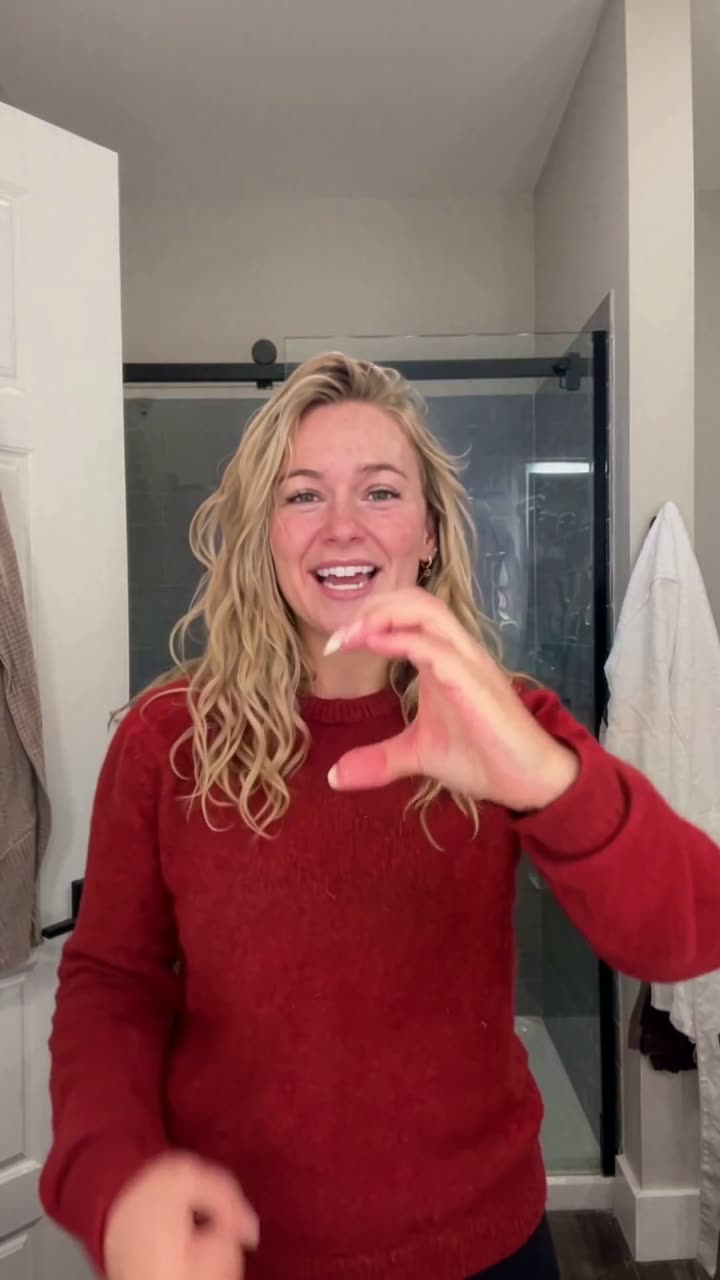

Real outputCafé photo → her C-H-E-R-R-Y
C Is for Cherry · 16 s
- Face toward the camera in even light; a selfie works, and your hands don't need to be in it
- One adult, looking toward the camera, nothing over the face
- Your face and hair carry over; the red sweater, the hands and the bathroom are the same in every video
By uploading, you confirm you're the person in the photo or have their permission to use it.
From $9.99 · one-time · no subscription
- ✓ One-time payment
- ✓ 9:16 HD MP4 · no watermark
- ✓ Failed videos return the credit
- ✓ Photos deleted after 30 days
What happens in 16 s
The moves people know, in order and on the beat. Only the star changes.
01 · 0:00
C is for cherry
A big smile at the camera as the song starts.
02 · 0:02
Fast spell
C, H, E, R, R, Y in about two seconds.
03 · 0:05
Cherry
The sign for the word, both hands at the chest.
04 · 0:07
Spell it slow
One hand slides along the other: slow.
05 · 0:10
Slow spell
The same six letters, one per beat.
06 · 0:15
Cherry!
The last Y, the last grin, ready to post.
Real results
One photo in, the 16 s video out. Straight from the studio, no edits after.
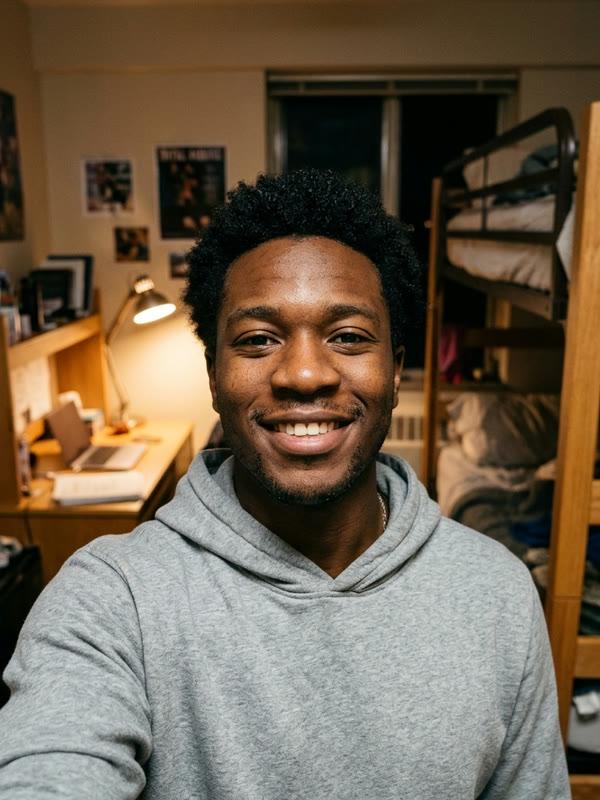
Sample input photos are AI-generated stand-ins, not customer photos. The videos are unedited output.
Who should you cast?
Yourself
Join the trend without learning the letters at song speed first.
Cast them →Your ASL class
A fun share for the group chat after a fingerspelling lesson.
Cast them →Best friend
With their okay, put them in it and send it back to them.
Cast them →Cherry fans
For the one friend who orders everything cherry flavoured.
Cast them →
The trend · Nov 2026 · TikTok
What is the C Is for Cherry trend?
C Is for Cherry is a TikTok trend from November 2026 set to "C is for Cherry", a kids' alphabet song by The Colorbets posted on 3 October 2026. People film themselves fingerspelling the word along with it in American Sign Language: C-H-E-R-R-Y fast, the sign for cherry, "now let's spell it slow", then the six letters again, one per beat. The sign language videos began appearing around 11 November, Google searches for the phrase peaked on 20 November, and the sound had about 15,600 TikTok videos of all kinds by 24 November. It's also searched as the c-h-e-r-r-y trend and the C Is for Cherry sign language trend.
In fingerspelling, C is a curved hand, H is two fingers held out sideways, E has the fingertips curled down to the thumb, R is crossed fingers and Y is the thumb and little finger out. The letters are what viewers watch. The two Rs are the giveaway: in ASL the index and middle fingers cross over each other, and a take where they stand side by side reads as a U, which commenters point out quickly. Here one photo of your face is enough: you get a 16-second vertical clip of you spelling it along the song's timing, Rs crossed, ready for TikTok, Reels and Shorts. The file is silent; you add the sound when you post.
Add the C Is for Cherry sound
How to make the C Is for Cherry AI video
- 1
Add one photo
Upload a clear photo of one person above: face toward the camera in even light; a selfie works, and your hands don't need to be in it. No account needed.
- 2
Pay once
Pick a pack and check out. Usually ready in about 10–20 minutes, always within the hour; we email you the link.
- 3
Download
Save the 16 s · vertical 9:16 · silent MP4.
- 4
Add the sound and post
Upload your clip, tap Add sound and pick it. Start it at 0:00: the fast C lands right after "C is for cherry", and the slow letters fall one per beat from about 10 seconds.
Credits that work on every effect
Buy once, no subscription. Most videos take 10 credits (Hotel Lobby and Tiny Desk: 20). Credits stay valid for 2 years, and if a video fails its credits come straight back.
- One-time payment · No subscription
- Credits work on every effect · credits stay valid for 2 years
- Failed generations automatically return your credits
- No watermark
C Is for Cherry AI: questions
What is the C Is for Cherry AI video?
It's the C Is for Cherry sign language trend with your face: you fingerspell C-H-E-R-R-Y along with the song, fast the first time and slow the second, with the sign for cherry in between. You get a 16-second vertical 9:16 MP4 made from one photo.
What song is C Is for Cherry?
"C is for Cherry" by The Colorbets, a kids' channel that makes alphabet songs, posted on 3 October 2026. The trend uses its original sound on TikTok. The same series also has C Is for Coconut, Cranberry and Cucumber, but this effect spells cherry.
How do I make a C Is for Cherry video from a photo?
Upload one clear photo of yourself or of an adult who said yes, pay once and it's usually ready in about 10–20 minutes, always within the hour. You download a 16-second vertical MP4 of that person spelling C-H-E-R-R-Y fast and then slow. No filming, no prompt and no editing.
Why are the fingers crossed on the R?
Because that's the ASL letter R: the index and middle fingers cross. If they stand straight next to each other the letter reads as U, which is the mistake people call out under copies of the trend. The hands in this video follow a take where both Rs are crossed, in the fast and the slow spelling.
Is this real sign language, and will it teach me ASL?
The hand shapes follow a real fingerspelled take of the trend, letter for letter, and every letter in our samples matches it. It isn't a lesson, though. If you want to learn the letters yourself, a Deaf-led ASL course or dictionary is the place to start, and it's worth checking your video before you post it.
Which photos work best?
Any photo where your face is clear and turned toward the camera: a selfie or a shoulders-up photo. Your hands don't need to be in it. Skip sunglasses, masks, heavy filters and group photos.
Will it look like me, and what about my clothes, hands and the room?
Your face, hairstyle, hair colour, facial hair and skin tone carry over. Everyone wears the same cherry-red sweater in the same bright bathroom, the nails come out long and light whatever your photo shows, and very long hair can come back a little shorter.
Does the video come with the song?
No. You get a silent 16-second vertical HD MP4 with no watermark, so add the C Is for Cherry sound in TikTok or Reels when you post; started at 0:00, the letters land with the song.
Is there a duo or a C Is for Coconut version?
Not yet: this page makes C Is for Cherry with one adult per video. If you'd like a duo or C Is for Coconut, tap Request a trend in the library and tell us.
What if my video doesn't look right?
If a letter or your face comes out wrong, press Needs work on your result page and we'll look at it and reply by email. A video that fails to finish gives its credits back on its own.
How long does a video take?
Usually ready in about 10–20 minutes, always within the hour. You don't have to wait on the page: we email the link as soon as it's done.
Is it free? What does it cost?
There's no free tier. Most videos take 10 credits (Hotel Lobby and Tiny Desk take 20): standard videos start at $9.99, while 20-credit effects start at $14.99. Packs of 30 credits are $19.99 and 100 credits are $49.99. You pay once — no subscription. Credits work on every effect, last 2 years from your latest purchase, and a video that fails gives its credits back automatically.
Can I make a video of someone else?
Yes, with their OK. Surprising a friend is half the fun, but never use a stranger's or a celebrity's photo, and never pass the video off as real footage.
Do I need to dance or film anything?
No. You never film, learn a move or edit. Upload one clear photo of each person and you get the whole trend back with them in it, move for move.
How is this different from a CapCut template?
A template still needs footage of the people doing the trend; you film the clips and drop them in. Here you only upload a photo, and the finished video comes back with them performing it. Some editing templates are free; videos here start at $9.99, while 20-credit effects start at $14.99. Pay once, no subscription.
Is it safe? What happens to my photo?
Your photo is used for one thing: making your video. It is never used to identify anyone, never sold and never used to train models. Uploads and finished videos are deleted automatically after 30 days, or sooner if you email support. Payment runs through a secure checkout, so your card never touches our servers. One video needs no account; credits you keep for later live in a password-free account (an emailed code or Google).
Can I use a photo of a child?
No. Photos of anyone under 18 are not allowed. Use a photo of yourself or of an adult who agreed to it.
Can I post it on TikTok, Instagram Reels or YouTube Shorts?
Yes. The video is yours to post on personal and social accounts, as long as you have the rights to the photo and the person in it agreed. Mark it as AI-generated and don't present it as real. Brand and business accounts should use licensed audio, such as TikTok's Commercial Music Library.
Try another effect
All effects →- 10 s10 credits
Fish Cutting Meme
One hand flat on a giant fish, one cleaver coming down hard, every chop landing a hair from your fingers.
Use effect → - 7 s10 credits
Bicep Heart
You flex one arm, curl the other hand onto it, and the two make a heart right as the beat drops.
Use effect → - 11 s10 credits
Flamingo Float
You, on a giant pink flamingo at the lip of a rooftop pool, too busy with your phone to notice the hand coming in.
Use effect → - 8 s10 credits
Basketball Middle Finger
Drive the lane, flip off the court mid-air, sink it and walk away.
Use effect →